Third‑party resources vary—some excel at design, others at management. Identify the skills you need and prioritize them when choosing vendors.
The following list are of vendors that have agreed to and met Duke’s Terms & Conditions:

Third‑party resources vary—some excel at design, others at management. Identify the skills you need and prioritize them when choosing vendors.
The following list are of vendors that have agreed to and met Duke’s Terms & Conditions:
Duke’s in-house resources can’t meet every need, so we partner with vendors locally, nationally, and abroad. These guidelines help streamline the process of working with external partners.
Duke offers a number of branded PowerPoint themes in light and dark variants for you to use to create both internal and external presentations. Additionally, the backgrounds are available for download before for use in other applications as well, such as Prezi, Keynote, etc.
Download All Background Images










Basic Word templates are available for university letterhead. If creating your own, please reference Duke’s branding guidelines when creating your own.
Duke’s Digital Signage program provides campus-wide tools to display dynamic content, emergency alerts, and information feeds on nearly 200 screens across the university.
The service is offered at no charge and administered by the Office of Information Technology (OIT).
Digital flyers can be requested to be added to other department signs by submitting flyers using DukeFlyer.
In an effort to maintain consistency in message and branding, we have established some basic content guidelines that should be met before displaying content. By following these simple guidelines, your message will look more professional and reach more people.
Always follow Duke brand guidelines. These standards extend to the use of wordmarks, logos, signature colors, type fonts and other matters that affect Duke’s visual identity.
Keep flyers simple—use under 30 words. They’re only visible for 5–15 seconds, so avoid clutter.
All flyers to be posted on digital signage must be sized at 1920 x 1080 pixels (horizontal) or 1080 x 1920 (vertical).
Consider the colors used in your flyer carefully and maintain consistency with the Duke color palette. Ensure strong contrast between your image background colors and the text colors so that your sign can be easily read when displayed. Be sure to test the colors on the screen output before committing to the final color scheme.
Use Duke-approved fonts with large sizes—at least 40 pt for headlines and 24 pt for body text. Keep object strokes bold; thin lines won’t display well.
These guidelines help Duke communicators apply Duke policies to social media. Questions? Email socialmedia@duke.edu.
Duke Health employees should follow Duke Health-specific standards.
Before You Create a New Account
Units and departments are responsible for ensuring that content posted by, or on behalf of, any unit or department adheres to all Duke University policies and to appropriate laws that govern the public dissemination of information. To that end, units and departments should periodically review the guidelines for social media and consult with the Office of Communications, Marketing, and Public Affairs if they have questions about their implementation:
Key Principles
Duke University Comment Moderation Policy
Duke University reserves the right to hide or delete off-topic, vulgar or abusive comments and hate speech. We do not permit comments selling products or promoting commercial ventures. Students should adhere to the Duke Community Standard when posting or commenting on social media. Posted comments and replies do not necessarily reflect the opinions or policies of the university. All content and posts are bound by the individual platform’s terms of service. If you have any concerns about the content posted on Duke University’s social media, please email us at socialmedia@duke.edu. We welcome all of your feedback.
When you post to social networks from an official Duke University account, you are representing the Duke brand. Here are some simple guidelines to help put your best foot forward. If you have specific questions on branding, please contact socialmedia@duke.edu.
Please follow Duke’s policies and procedures regarding copyright, privacy and sharing of information.
Duke’s Asset Management System (NETID required) is a wonderful collection of thousands of current photos and videos of Duke’s campus, programs, people and more. It is refreshed regularly with community-sourced images as well as new content captured by the University Communications team.
If you’re developing an app for Duke University, you can leverage University resources. OIT’s mobile development team provides expertise to help design, test, and launch your app.
The Co-Lab Studio is Duke’s open-access maker space, offering 3D printing, laser cutting, electronics, and other fabrication tools for students, faculty, and staff to design and prototype projects.
It serves as part of Duke’s Innovation Co-Lab, fostering creativity and hands-on learning through digital modeling and fabrication.
We maintain a list of approved app development vendors who other members of staff/faculty have used to develop mobile apps.
List of approved mobile app development vendors – contact mobiledev@oit.duke.edu for details.
Public iOS applications produced by Duke University are published on Apple’s App Store. Search your iPhone App Store for “Duke University” for the latest applications.

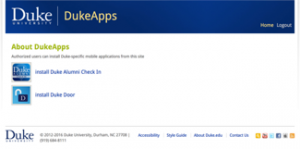
Other mobile applications, intended for Duke employees/student use are available on Duke’s internal App store: dukeapps.duke.edu for details (NetID/Shiboleth authentication required).
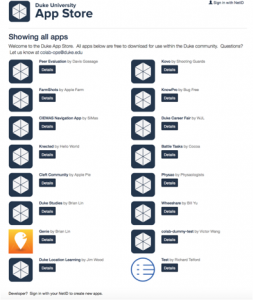
Student developed applications are made available on the Colab App Store (visit appstore.colab.duke.edu for latest releases.)
Sites are complex digital spaces with evolving digital standards and steep learning curves. It takes multiple teams of people to keep sites running securely and smoothly. Accessibility, security, design, and development are areas that most communicators must have a basic understanding of in order to produce an effective digital product.
Building a site at Duke may seem a little daunting, but the guide below can act as a starting point for building secure, accessible, on-brand sites for your organization.
Everyone. Everyone should be able to access and experience a public site at Duke. Duke’s Web Accessibility Initiative exists to ensure people with a wide range of abilities have equal access to Duke’s web content. It is the central resource for information, guidelines, and Duke’s official web accessibility guidelines.
Security is CRITICAL. If a site is deemed to be a security risk (through a breach or lack of appropriate security or versioning upgrades) the IT Security Office reserves the right to take a site offline until that site is cleared to be restored.
You should be aware of the following security policies and guidelines:
–What does maintenance really mean?
Once a site is launched and past its QA period, sites typically move into a “maintenance” phase. Maintenance can refer to the general updates of the site but the most critical component is the upkeep needed to keep the environment (infrastructure) up to date. It is the responsibility of the site owner (department) to ensure that a maintenance agreement is in place. Restated: the platform (Drupal/WordPress), as well as the hosting space, require regular attention and updates to keep them from becoming a security risk.
If you’re working with a vendor: Any work being done through a contract organization – internal or external – requires a minimum service-level agreement of 10 hours per year. Due to the changing nature of the web and the need for version and security upgrades on our preferred platforms, site owners need to identify some portion of their budget and calendar for updates and patching. Without this, sites are subject to vulnerability and attacks. Should a security breach occur, the security office may remove the affected site until it can be confirmed as no longer a risk. IT organizations such as OIT and Duke Health Technology Services (DHTS) cannot be held responsible for sites and actions that they did not create nor participate in.
Sites@Duke Express is a WordPress network that offers a robust set of easy-to-use tools, including Duke themes and Duke-specific plugins. The service also provides the option of a custom domain mapped to your site. There is no charge to users.
The Sites@Duke Pro platform is a new Drupal-based solution ideal for schools, departments, institutes, centers, labs, initiatives, programs, and more. It offers flexible site-building options with a professional visual design that meets Duke’s accessibility and branding guidelines. There is a low start-up cost and a monthly maintenance fee that covers all infrastructure, support, and rollout of new features and fixes as they become available.
Custom websites can be developed using internal and external resources. (See Working with Vendors) After selecting your development group you will also need to coordinate hosting and domains. (see above and below). Any custom work still has an expectation to meet technical and branding requirements.
Duke’s in-house resources can’t meet every need, so we partner with vendors locally, nationally, and abroad. These guidelines help streamline the process of working with external partners.
Design responsive and mobile‑first, with progressive enhancement for larger screens.
Prioritize accessibility for all users, including high‑resolution devices and assistive tech.
Emphasize UX with clean typography and modern web font systems.
Deliver clear, structured content – favor depth over click‑bait.
Provide real‑time, user‑friendly feedback in forms (auto‑tabbing, inline validation).
Optimize for SEO + generative AI by making content concise, trustworthy, and citation‑ready.
Syndication technology allows for a web bar to appear automatically on websites across the university to highlight emergency news and other alerts. The alert bar accommodates two levels of information. Level 1 alerts, represented by a red bar, will be used for emergencies and will link to the DukeALERT website for additional information. Level 2 alerts, represented by an orange bar, will be used for important messages such as pending severe weather or a gas leak in a building. Download instructions for adding the DukeALERT bar to your website.
Web fonts enhance design with crisp, scalable rendering. Limit to 2–3 fonts to avoid slow load times, and follow the University’s brand system for approved fonts.
A website has no value if no one can find it. SEO isn’t just about ranking. It’s about making your content discoverable and trustworthy for both search engines and generative AI. With AI-driven overviews and answer engines shaping how people find information, sites must be structured, clear, and citation‑friendly to surface in these new contexts. Optimizing for traditional search and AI ensures your work reaches audiences wherever they look for answers.
Domain names require approval from Duke Communications, Marketing, and Public Affairs. As a general rule, try to stay away from long, cumbersome spellings or ambiguous acronyms. Use fourth level domains if possible to show associations between units and schools.
Domains obtained by third party organization are the responsibility of the purchaser and should not utilize the Duke brand without permission. Read the Duke Domain Request Policy and follow the link at the bottom of the page to complete the request form.
Duke’s preferred platform for measuring web site traffic is Google Analytics. If you are unfamiliar with Google analytics or need help getting started, check out Google’s resources.
Accessibility
Duke sites and applications must accommodate a baseline level of accessibility to ensure our content reaches as many people as possible. Duke aims to meet the Web Content Accessibility Guidelines (WCAG) standards, which are driven by the larger international standards organization for the internet, the W3C. These standards, first published in 2008, are based on 4 key principles: Perceivable, Operable, Understandable and Robust. Within these standards are 3 levels on conformance. A, AA, AAA.
Please visit the Duke Web Accessibility site for more information.
Any work being done through a contract organization – internal or external – requires a minimum service-level agreement of 10 hours per year. Due to the changing nature of the web and the need for version and security upgrades on our preferred platforms, site owners need to identify some portion of their budget and calendar for updates and patching. Without this, sites are subject to vulnerability and attacks. Should a security breach occur, the security office may remove the affected site until it can be confirmed as no longer a risk. IT organizations such as OIT and Duke Health Technology Solutions cannot be held responsible for sites and actions that they did not create nor participate in.
Duke websites present a very viable risk to the university and can provide an avenue of attack against other Duke systems. There is a direct relationship between website compromises and unpatched web environments and associated servers. In an effort to improve the security of all Duke’s websites, the IT Security Office (ITSO), Office of Information Technology (OIT) and Duke Communications, Marketing, and Public Affairs have developed guidance and options for those managing websites at Duke.
The Garamond “D” makes is a great option to use as the favicon for a website or the home screen icon for your app. Download the full favicon pack or use the icons hosted below.











Powered by WordPress & Theme by Anders Norén